Beamlet is an Elixir server that your AI agent builds from the inside. Ask for a page, an API or a small app, and the agent writes it as Elixir modules that become part of your beamlet. Keep asking and it grows into whatever you want.
You talk to your beamlet from an AI client such as Claude, ChatGPT or Claude Code, connected over MCP. The agent's code, data and pages all live in one directory on the server.
A quick look
Start a chat and ask:
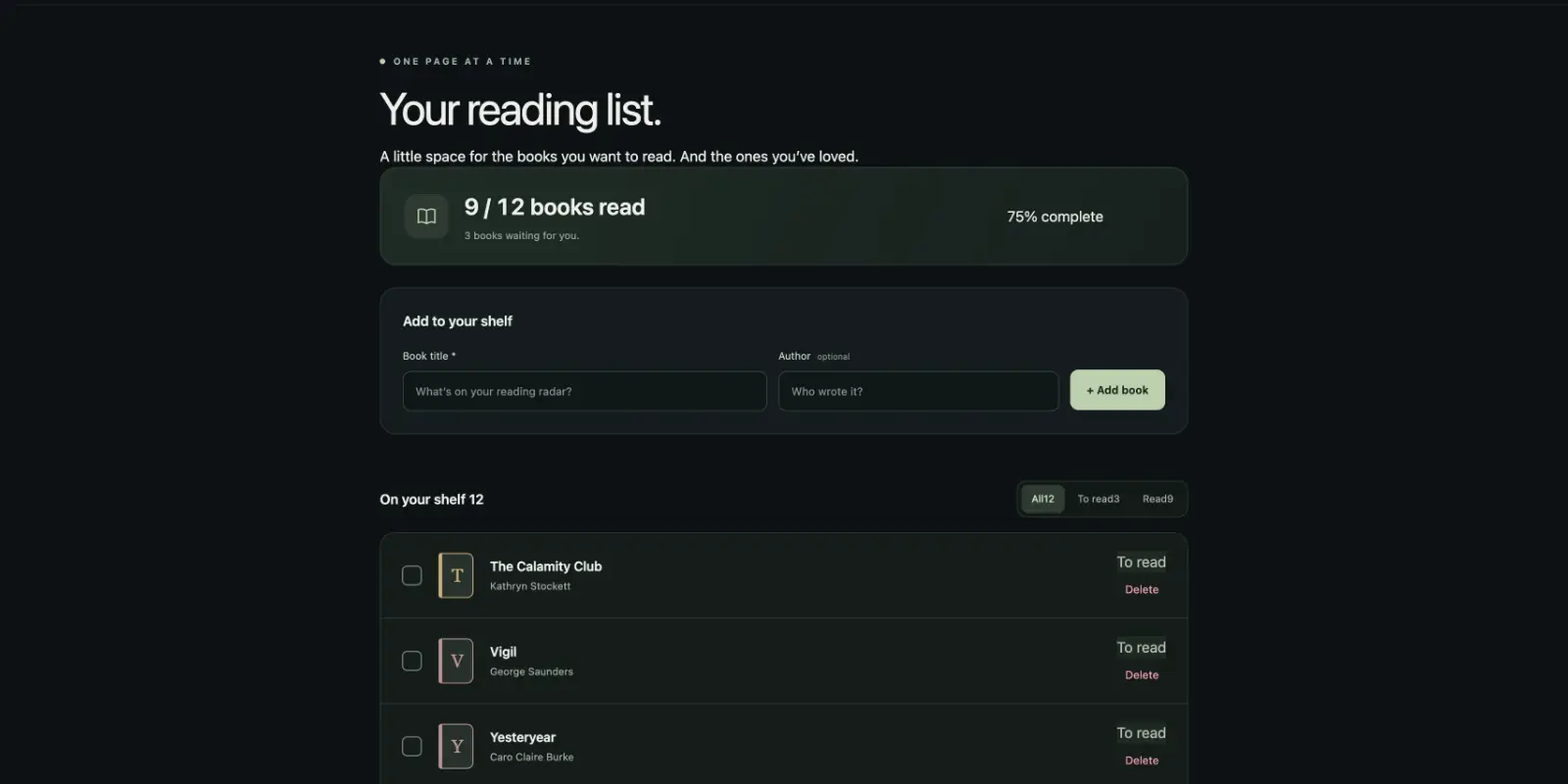
Build me a reading list on my beamlet at /books where I can add books and tick them off when I've read them.
The agent writes a table, a migration and a LiveView, and the page is at /books on your beamlet. Now ask for more:
Add an endpoint I can POST a book to, so I can send one from my phone.
The agent reads what it built last time and adds /api/books beside it, writing to the same table.
Running Beamlet
The easiest way to run Beamlet is with Docker. Run the published image with a volume for its data:
docker run -d \
  --name my-beamlet \
  -p 4000:4000 \
  -v beamlet_data:/data \
  -e BEAMLET_URL=http://localhost:4000 \
  ghcr.io/aaronrussell/beamlet:0.1
The volume is the whole beamlet. Keep it and you keep everything the agent has built. BEAMLET_URL is the address you reach your beamlet at. On your own machine that's localhost. On a server, set it to the server's public HTTPS address.
A beamlet has one user, you. Set your email and password:
docker exec -it my-beamlet beamlet setup
Then sign in at http://localhost:4000/beamlet, or /beamlet at your server's address. The home page shows your MCP URL and the steps to connect various clients.
Connect a client
A client is the AI app you talk to, such as Claude Code, Cursor, ChatGPT or Claude. Connecting one to your beamlet gives its agent the tools to build there. There are two ways to connect:
- With OAuth, the easiest. Give the client the MCP URL, and it sends you to your beamlet to sign in and allow access.
- With a token, for clients without OAuth. You create the token on the command line and add it to the client's config.
To create a token, named for the client:
docker exec my-beamlet beamlet tokens.create cursor
The secret is printed once, so copy it now. Most clients take it in an MCP config entry like this:
{
  "mcpServers": {
    "beamlet": {
      "url": "http://localhost:4000/beamlet/mcp",
      "headers": {"Authorization": "Bearer YOUR_TOKEN"}
    }
  }
}
Tokens and policies has more on tokens, and on the policy each one carries.
Hosted clients can't reach localhost
ChatGPT and Claude connect from their own servers, so they can't reach a beamlet on your machine. Connect a local client for now, or run your beamlet at a public address, as in Deploy Beamlet on Fly.io. A tunnel such as Tailscale Funnel works too, with BEAMLET_URL set to the tunnel's address.
Check it's working
Start a new chat and ask:
What can I do with my beamlet?
The agent looks around your beamlet before it answers, so a reply about your beamlet means everything is connected. It tells you what it could build and suggests somewhere to start. Take its suggestion, or try one of the prompts in Working with your beamlet.
Where next
- Working with your beamlet for what to ask for and what happens when you do.
- Deploy Beamlet on Fly.io to put your beamlet online for ChatGPT and Claude.
- Tokens and policies to connect more clients and limit what each can do.
- Operating a beamlet for configuration, upgrades and the log.